코어 태그
변수 지원 태그 - 프로퍼티, 맵의 처리
객체 프로퍼티 : 객체의 값을 변경하거나 값을 읽어들이기 위한 getter, setter 메서드
| <c:set target="${some}" property="propertyName" value="anyValue" /> some 객체가 자바빈일 경우 : some.setPropertyName(anyValue) some 객체가 맵(map)일 경우 : some.put(propertyName, anyValue); |
- target : <c:set>으로 지정한 변수 객체
- property : 프로퍼티 이름
- value : 새로 지정할 프로퍼티
흐름 제어 태그 - if
| <c:if test="조건"> ( test의 조건이 true이면 몸체의 내용을 처리한다.) </c:if> |
예제
| <%@ taglib prefix="c" uri="http://java.sun.com/jsp/jstl/core" %> <c:if test="true"> 무조건 수행 <br> </c:if> <c:if test="${param.name == 'bk'}"> name 파라미터의 값이 ${param.name}입니다. <br> </c:if> <c:if test=${18<param.age}"> 당신의 나이는 18세 초과입니다. </c:if> |


위 코드와 아래 코드는 같은 코드이다. 둘 중 하나를 사용하면 된다.
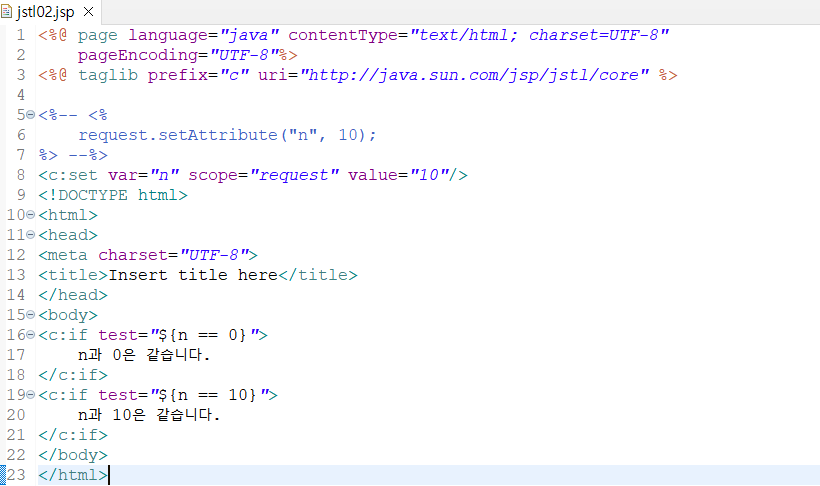
첫 번째 if문은 조건이 맞지 않기 때문에 실행되지 않는다.
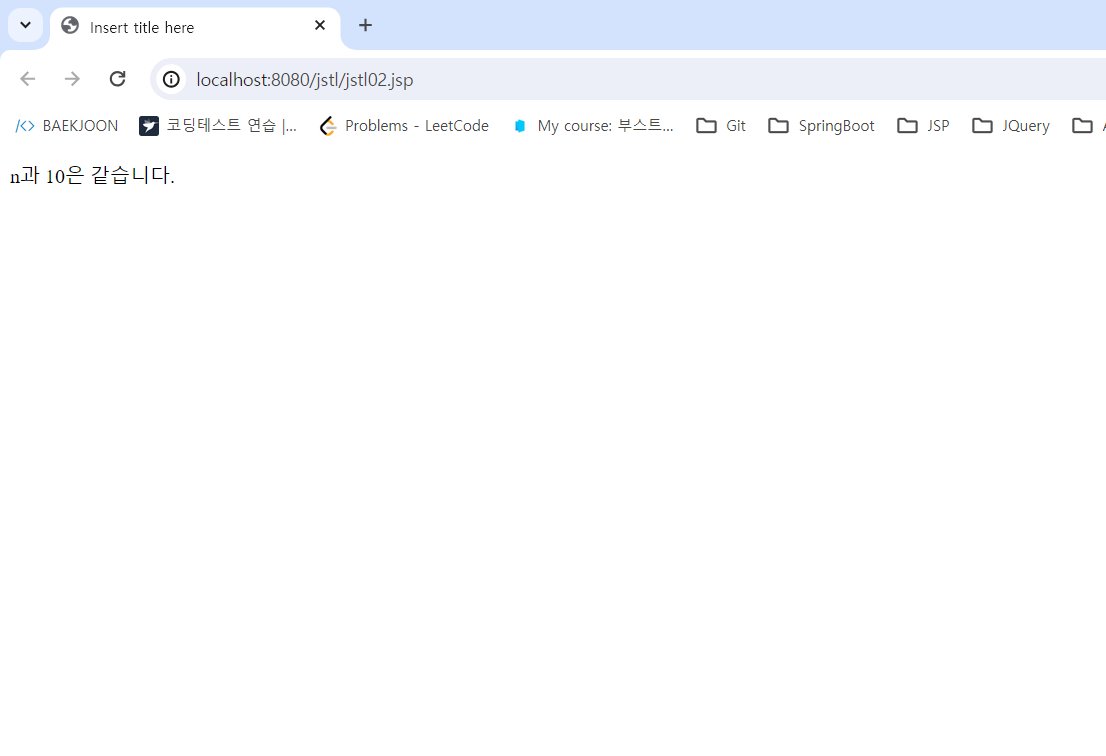
두 번째 if문의 test EL이 실행이 되면 조건에 만족해 true를 리턴하여 결과를 보여준다.
실행 결과
흐름 제어 태그 - choose
| <c:choose> <c:when test="조건1" > 조건 1이 true일 때 실행 ... </c:when> <c:when test="조건2" > 조건 2가 true일 때 실행 ... </c:when> <c:otherwise> 앞의 <c:when> 의 조건들이 모두 만족하지 않을 때 실 ... </c:otherwise> </c:choose> |
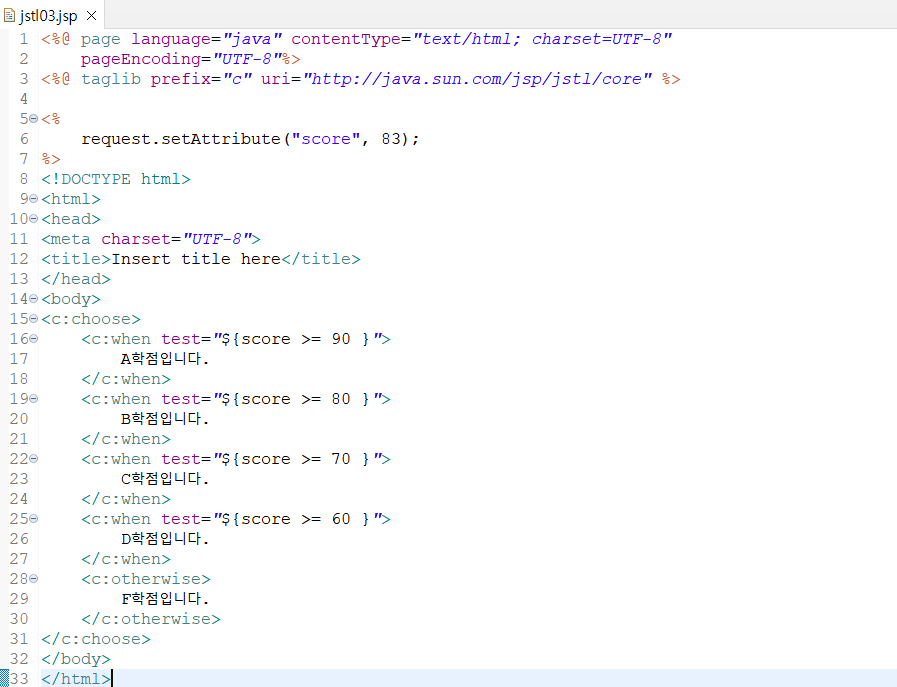
실행 결과

해당 값을 30으로 변경했을 경우
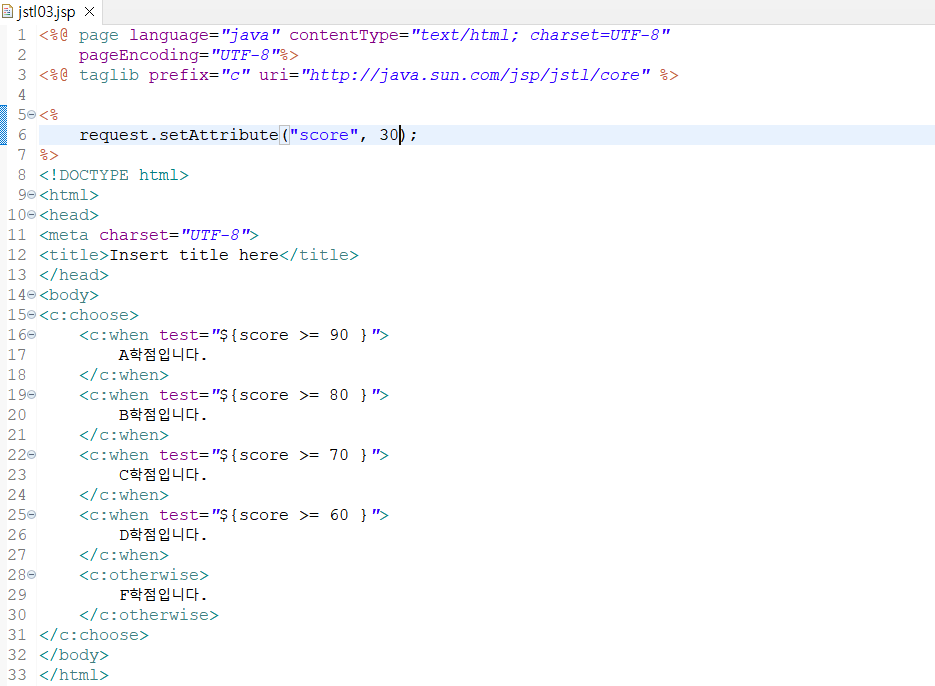
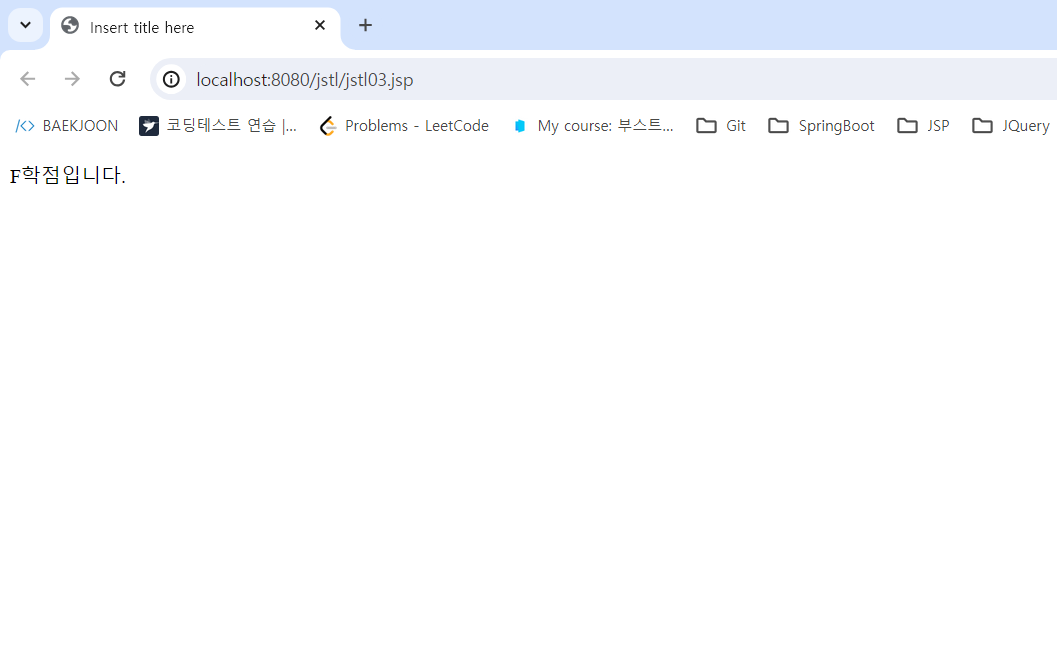
실행 결과
참고 : boostcourse https://www.boostcourse.org/web316/lecture/254292?isDesc=false
웹 프로그래밍(풀스택)
부스트코스 무료 강의
www.boostcourse.org
'boostcource > boostcourse_web programming' 카테고리의 다른 글
| JSTL -4 (0) | 2024.04.21 |
|---|---|
| JSTL -3 (0) | 2024.04.21 |
| JSTL (1) | 2024.04.21 |
| EL(Expression Language) -3 (0) | 2024.04.20 |
| EL (Expression Language) -2 (0) | 2024.04.20 |


